Sharing Computational Environments with Pixi
Agenda
| Duration | Content |
|---|---|
| 15min | Introduction and Installation |
| 5min | Break |
| 15min | Learner example |
| 5min | Break |
| 15min | Instructor example |
Computational environment
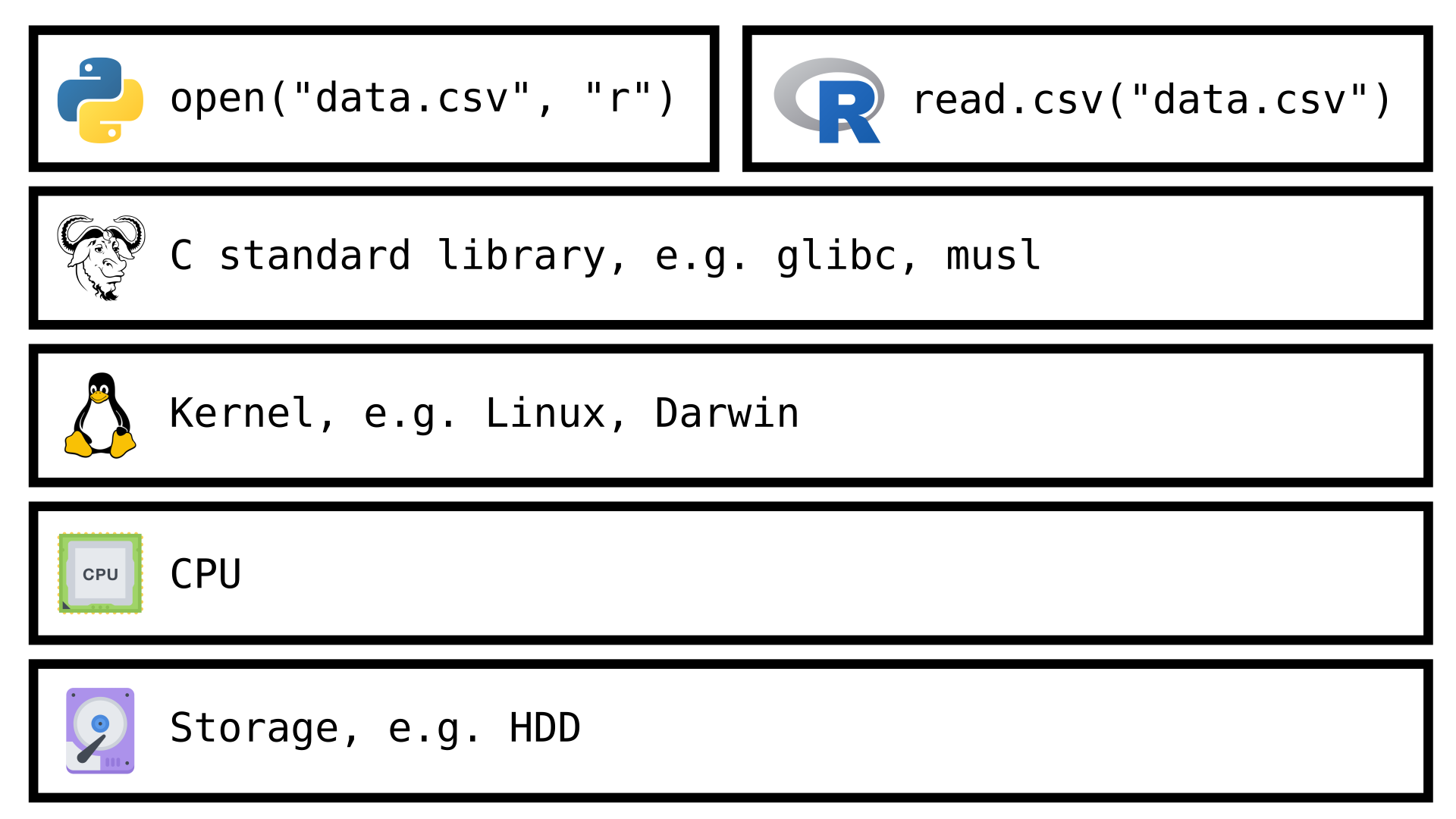
Shareable
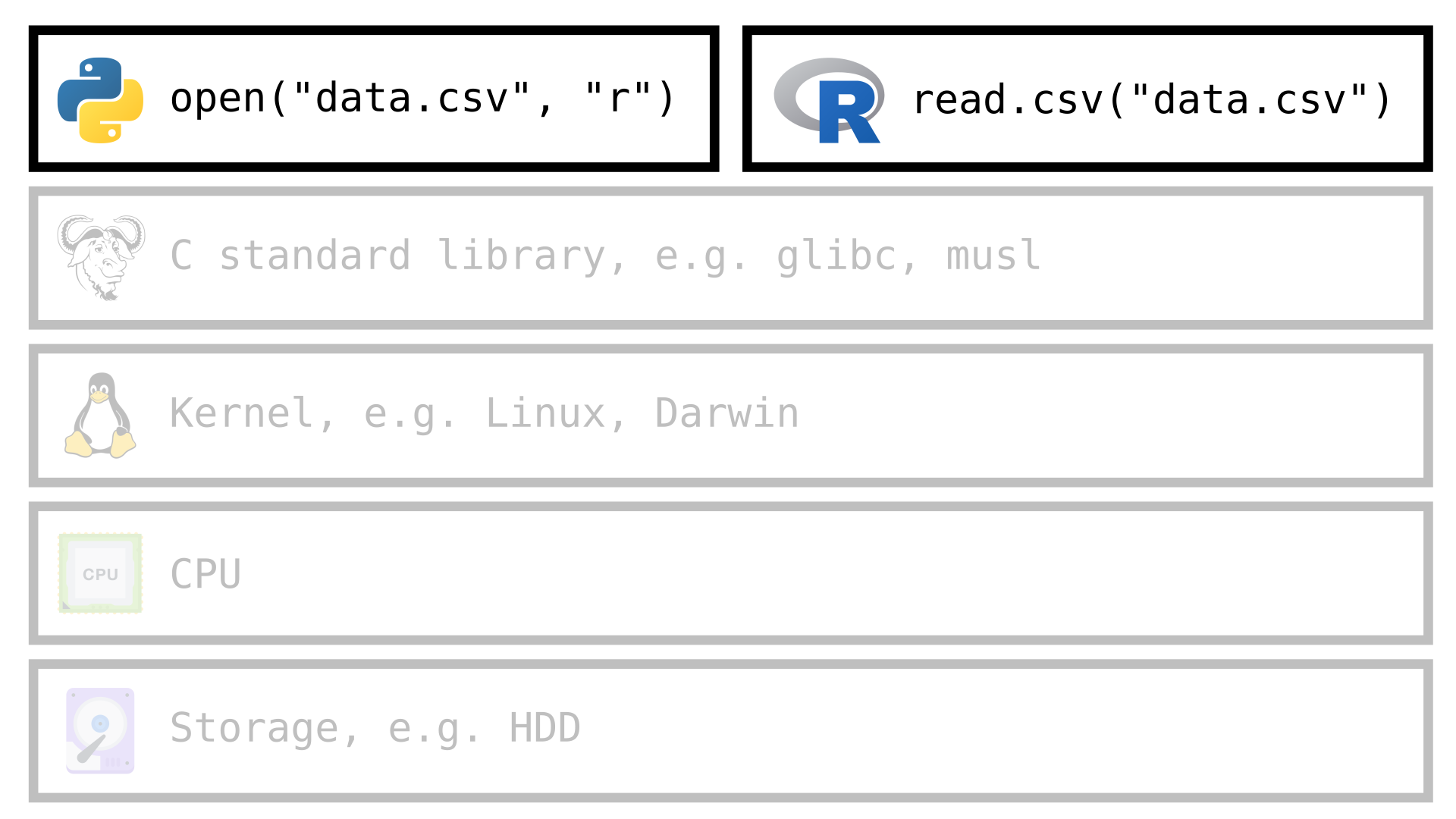
Why?
Operating system (OS) and programming language agnostic.
Avoid user privilege escalation, i.e.
sudo.Avoid users to have to walk pass the dependency hell.
- Long chains of dependencies
- Conflicting dependencies
Avoid users reporting bugs that only work on their computer.
Share alias for the command line interface (cli).
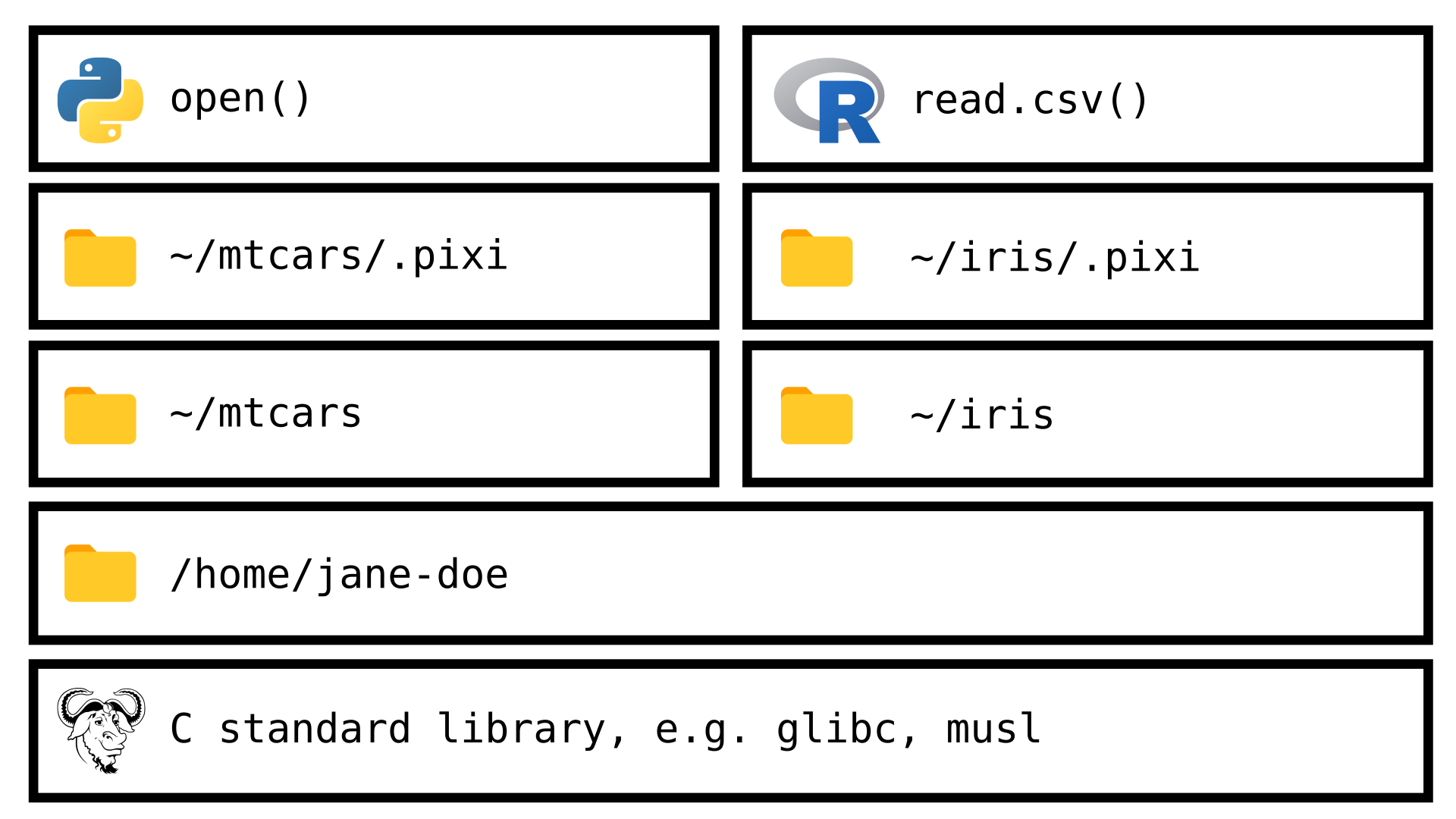
File system used by Pixi
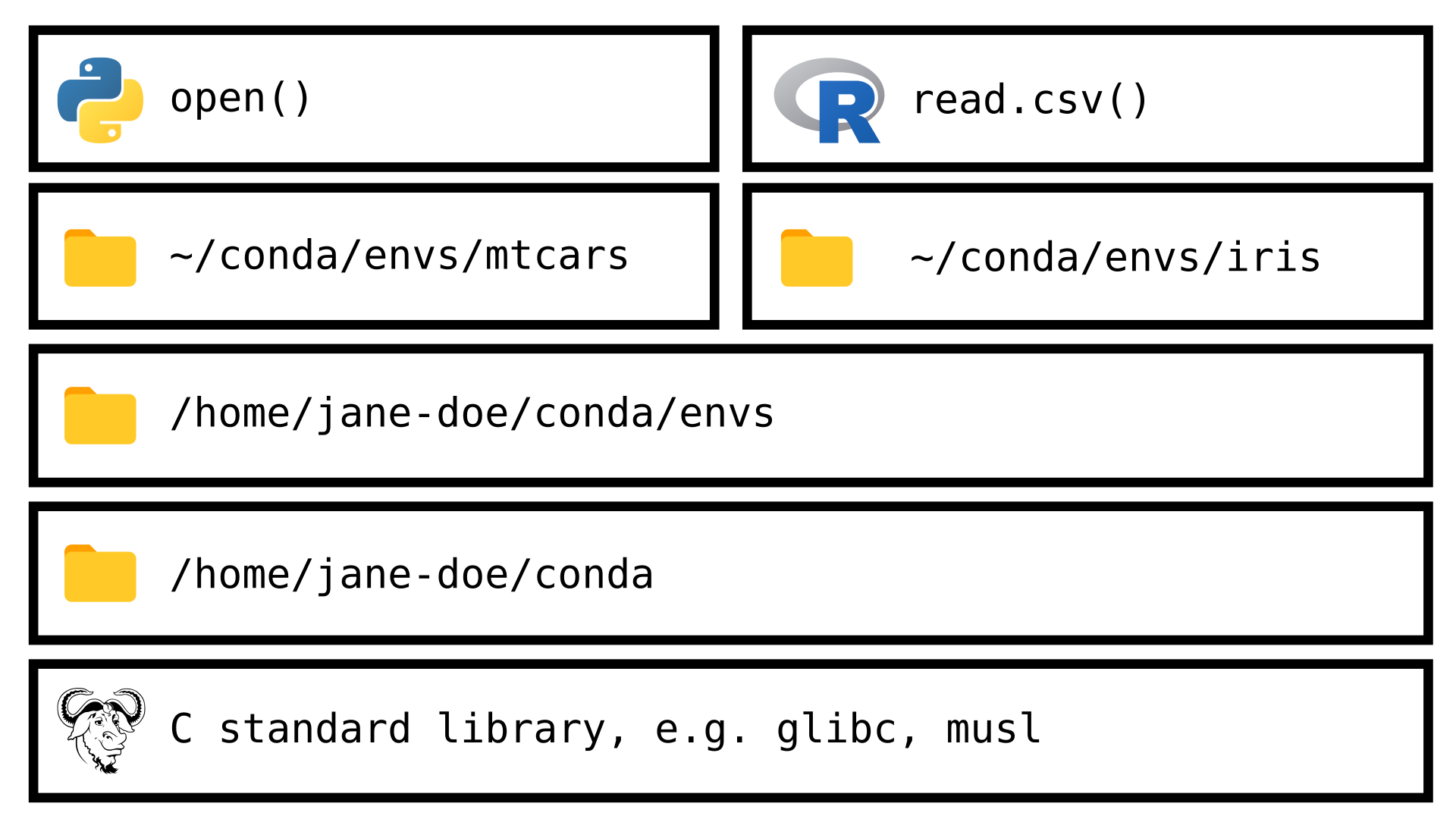
File system used by Conda
Use containers instead
If your project has one of the following requirements
- run two database serves simultaneous
- use a different version of C standard library
you should use containers (for example, Podman, Docker, Apptainer, …) instead of Pixi.
Also, you must use containers if you want complete isolation from the host machine.
How?
- Pixi uses its own package repository.
- Pixi uses its own copy of the dependencies.
- Pixi locks the full dependency tree.
- Pixi will check if all the dependencies are satisfied before executing tasks.
Requirements
Package repository
Because Pixi primarily install packages from conda-forge.
Computation (as in number of CPU)
Because Pixi will check the dependencies before each task execution.
Storage (as in size of HDD)
Because Pixi will duplicate the dependencies for each project.
Transfer (as in speed of Internet connection)
Because some dependencies can be in the 3 digits MB.
Where are we
| 1995 (Windows 95) | 2009 (Windows 7) | 2021 (Windows 11) | |
|---|---|---|---|
| CPU | Intel® 200 MHz Pentium® | Intel® Core™ 2.6GHz | Intel® Core™ 5.2GHz |
| RAM | 32 MB | 3GB | 16GB |
| HDD | 3.8 GB | 500GB | 1TB |
| Internet | 30 Kb/s | 10 Mb/s | 100 Mb/s |
pixi.toml
Pixi uses the file pixi.toml as the human readable configuration file.
Example of pixi.toml
pixi.lock
Pixi uses the file pixi.lock as the machine readable configuration file and includes a full description of the environment.
Important
pixi.lock must be included in your version controlled repository.
Example of pixi.lock
version: 6
environments:
  default:
    channels:
    - url: https://conda.anaconda.org/conda-forge/
    packages:
      linux-64:
      ...
      - conda: https://conda.anaconda.org/conda-forge/linux-64/openssl-3.6.0-h26f9b46_0.conda
      - conda: https://conda.anaconda.org/conda-forge/linux-64/python-3.14.0-h32b2ec7_102_cp314.conda
      ...
packages:
...
- conda: https://conda.anaconda.org/conda-forge/linux-64/openssl-3.6.0-h26f9b46_0.conda
  sha256: a47271202f4518a484956968335b2521409c8173e123ab381e775c358c67fe6d
  md5: 9ee58d5c534af06558933af3c845a780
  depends:
  - __glibc >=2.17,<3.0.a0
  - ca-certificates
  - libgcc >=14
  license: Apache-2.0
  license_family: Apache
  size: 3165399
  timestamp: 1762839186699
- conda: https://conda.anaconda.org/conda-forge/linux-64/python-3.14.0-h32b2ec7_102_cp314.conda
  build_number: 102
  sha256: 76d750045b94fded676323bfd01975a26a474023635735773d0e4d80aaa72518
  md5: 0a19d2cc6eb15881889b0c6fa7d6a78d
  depends:
  ...
  license: Python-2.0
  size: 36681389
  timestamp: 1761176838143
  python_site_packages_path: lib/python3.14/site-packages
.pixi
Pixi uses the directory .pixi to store a working copy of all the dependencies of the project.
Example of .pixi
.pixi/
└── envs
    └── default
        ├── bin
        ⋮   ⋮
        │   ├── openssl
        │   ├── python -> python3.14
        │   ├── python3 -> python3.14
        │   ├── python3.1 -> python3.14
        │   ├── python3.14
        ⋮   ⋮
        ├── include
        ⋮   ⋮
        │   ├── openssl
        │   │   ├── aes.h
        ⋮   ⋮    ⋮
        │   ├── python3.14
        │   │   ├── abstract.h
        ⋮   ⋮    ⋮
        ├── lib
        │   ├── libpython3.14.so -> libpython3.14.so.1.0
        │   ├── libpython3.14.so.1.0
        │   ├── libpython3.so
        ⋮   ⋮
        │   ├── python3.14
        │   │   ├── abc.py
        ⋮   ⋮    ⋮
Installation
Windows
On PowerShell, run
Pay attention to the backtick (`) at the end of the first line.
Unix-like
On your terminal emulator, run
Other Methods
Visit the Installation section on Pixi’s documentation.
Sarah’s use case

Sarah’s use case - Cheat sheet
Copy course material:
Change directory
Check tasks created by instructor:
Start Jupyter Lab:
Convert Notebook to R script
Renata’s use case

Renata’s use case - Cheat sheet
Start environment:
Add dependencies:
Create alias for tasks:
Share files:
Environment activation - Cheat sheet
Activate environment:
Run R command:
Important
Pixi does not isolate the environment. Tools installed globally will be available.
More features
Integration with
- VSCode
- RStudio
- JupyterLab
- GitHub Actions
- …
Support to multi platform.
For example, it is possible to specify Python 3.14 for GNU/Linux and Python 3.13 for Windows.
That’s All Folks
- Read Pixi’s documentation.
- Ask question at Pixi’s Discussions hosted on GitHub.
Multi Environment (1/3)
Create
hello.pywithStart environment:
Create task:
Multi Environment (2/3)
Edit
pixi.tomlto include[feature.py313.dependencies] python = "~=3.13.0" [feature.py314.dependencies] python = "~=3.14.0" [environments] py313 = ["py313"] py314 = ["py314"]
Multi Environment (3/3)
Run task:
Run task:
Camila’s use case

- New application written in C
Camila’s C code
Camila’s use case - Cheat sheet
Start environment:
Add dependencies:
Create task:
Run task:
Caution when creating tasks
Pixi uses Deno’s implementation of shell.
Start environment:
Create task:
Run task:
Paige’s use case

- Image processing with Python
- Jupyter Notebook for exploratory analysis
Paige’s use case - Cheat sheet
Start environment:
Add dependencies:
Create task: